
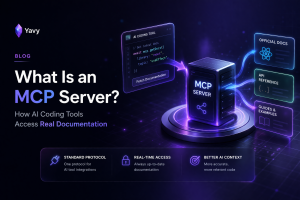
Your AI coding assistant knows React. It knows Django. It knows Express. Ask it about any popular framework and you'll get a decent answer.
Now ask it about your company's internal API. Or that library that shipped a breaking change last month. Or the authentication flow your team built in-house.
Blank stares. Or worse, a confident answer that's completely wrong.
The model doesn't have access to those docs. It never did. But there's a protocol that changes this, and it's called MCP.
MCP in Plain English
MCP stands for Model Context Protocol. It's an open standard that lets AI tools connect to external data sources in a structured way.
Think of it like a USB port. Before USB, every device had its own proprietary connector. Printers, keyboards, cameras, all different. USB standardized the interface. One port, any device.
MCP does the same thing for AI tools. Before MCP, every AI assistant had its own way of accessing external data, or more commonly, no way at all. The model relied entirely on what it memorized during training.
That changes with MCP. It defines a standard protocol so any AI tool can connect to any data source. Your editor talks to an MCP server. The server provides context. The AI uses that context to generate a better answer.
The "server" part is important. An MCP server is a program that hosts specific data and makes it available through the MCP protocol.
There are MCP servers for databases, file systems, APIs, and documentation. Each one gives AI tools access to a different type of information.
For developers, documentation MCP servers are the ones that matter most.
How a Documentation MCP Server Works
The flow has four parts.
The server indexes documentation. It crawls pages, breaks content into chunks, and stores them in a way that's searchable.
Some servers use keyword matching. Better ones use vector embeddings, which means they search by meaning, not exact words.
The client is your AI tool. Cursor, VS Code with Copilot, Claude Code, Windsurf. If it supports MCP, it can connect to any MCP server.
The connection happens at startup. You add the MCP server to your editor's configuration. Once connected, the AI gains access to whatever documentation the server has indexed.
The flow at query time: You ask a question. The AI recognizes it needs documentation context. It sends a search request to the MCP server.
The server returns the most relevant documentation chunks. The AI uses those chunks as context when generating its response.
The key difference from training data: this happens live. The docs are current. If the documentation was updated yesterday, the MCP server serves the updated version today. No waiting for the next model training cycle.
A common concern: the AI doesn't send your code to the MCP server. It sends a search query. The server returns documentation. Your proprietary code stays local.
Why This Matters for Developers
Without MCP, your AI tool operates from a frozen snapshot of the internet. Everything it knows came from training data that's months or years old.
New APIs, updated methods, deprecated features. It doesn't know about any of them until someone retrains the model.
That's why AI coding assistants hallucinate. They fill gaps in their knowledge with statistically plausible guesses. The model doesn't know it's guessing. It responds with the same confidence whether the answer is correct or fabricated.
MCP breaks this pattern. Instead of guessing, the AI checks real documentation before it responds. The answer is grounded in actual content, not guesswork.
This matters in three specific situations.
When libraries update. React 19 ships a new hook. Express changes its middleware API. Your AI doesn't know because its training data predates the release. An MCP server with current docs delivers the update at query time.
When you use private tools. Your internal SDK, your custom auth library, your team's packages. None of this was in any training set. Without an MCP server, the AI has nothing to work with. With one, it has your actual documentation.
When accuracy costs real money. A hallucinated API method doesn't throw an error at suggestion time. It throws one after you've built the feature and written the tests. Catching it at query time instead of debug time saves hours.
MCP doesn't make AI tools smarter. It makes them informed. That's the difference that actually matters.
What Makes a Good Documentation MCP Server
Not all documentation MCP servers are equal. The protocol is standardized, but the quality of the server depends on what it indexes and how it searches.
Five things separate useful servers from limited ones.
What it can index. Some servers only cover popular open-source libraries. That helps with React and Django, but it doesn't help with your team's documentation. The best servers let you point at any URL and index whatever is there.
How it searches. Keyword matching finds exact phrases. Semantic search finds relevant content even when your words differ from the docs. "How do I authenticate?" should match a page titled "Authorization Flow."
Whether it handles private content. Your most valuable documentation is behind authentication. API portals, internal wikis, private repos. A server that can't authenticate can't index the docs that matter most.
Source attribution. When the AI gives you an answer, you need to verify it. The server should return not just the content but the exact page it came from. One click to check the source.
Offline capability. MCP servers require a network connection by default. If the server goes down or you're offline, the AI loses access. Servers that offer an offline option give you documentation access regardless of network status.
These aren't nice-to-haves. They determine whether the MCP server solves your whole documentation problem or only the open-source part of it.
How Yavy Works as a Documentation MCP Server
We built Yavy to be the documentation MCP server we wanted but couldn't find. One that indexes anything, not just popular libraries.
The setup takes a few minutes. You give Yavy a URL. It crawls every page on that domain, breaks the content into semantically meaningful chunks, and creates vector embeddings for each one.
The result is a searchable knowledge base built from your actual documentation.
Connect Yavy as an MCP server in your editor. From that point, every question you ask gets checked against your indexed docs before the AI responds.
Ask about your internal payment API. Instead of a hallucinated method name, you get the real endpoint, the real parameters, and a link to the documentation page it came from.
Ask about a framework that released a new version last week. Instead of outdated syntax from six months ago, you get the current API because Yavy indexed the current docs.
Every answer includes source links. You never have to wonder if the AI is making something up. Click the source, verify, move on.
Two things make Yavy different from other documentation MCP servers.
You index your own content. Any URL. Your Confluence wiki, your Notion workspace, your company's developer portal, your product docs. Private content behind authentication works too. Yavy supports OAuth, HTTP auth, and custom headers.
Skills packages give you offline access. Yavy generates portable documentation bundles called Skills packages. They live in your project repo, work without internet, and have no rate limits.
Generate them in CI/CD with the Yavy CLI and every developer on your team gets the same knowledge base.
Live MCP search for real-time queries. Skills packages for offline access and portability. Both pulling from your actual docs.
Connect Your First MCP Server
Pick one documentation source that your AI currently doesn't know about. Your company's API docs are a good starting point.
Go to yavy.dev. Paste the URL. Let it index.
Add the MCP server to your editor's configuration. Ask a question about those docs and watch the AI respond with real information instead of a guess.
That's MCP in practice. Not a concept. Not a protocol spec. A real change in what your AI coding assistant can do.